ວິທີລ້າງຫົວພີມປີ່ນເຕີ Epson L3150 ໃນ Windows 11
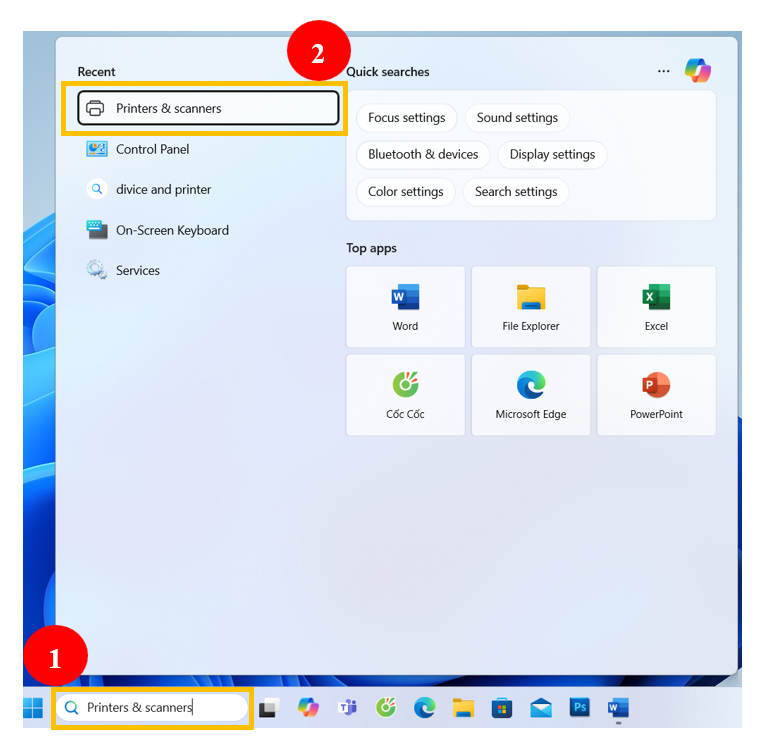
- ພິມຂໍ້ຄວາມ Printers & scanners ໃສ່ໃນ Seach ຢູ່ໃນ Taskbar
- ເລືອກຄຼິກໃສ່ ເມນູ Printers & scanners

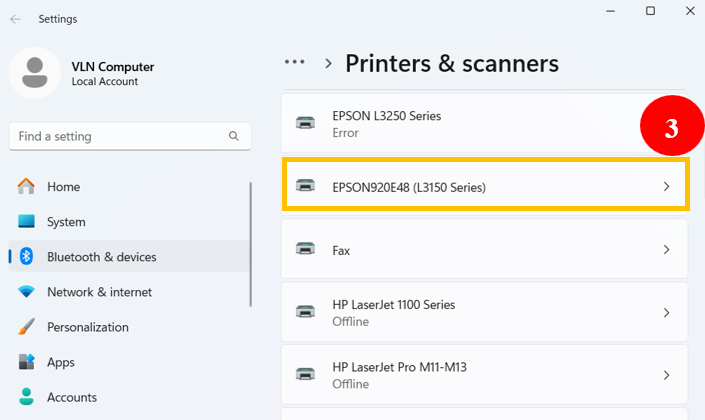
3. ເລືອກ Series ປີ່ນເຕີທີ່ເຮົາຕ້ອງການລ້າງຫົວພິມ

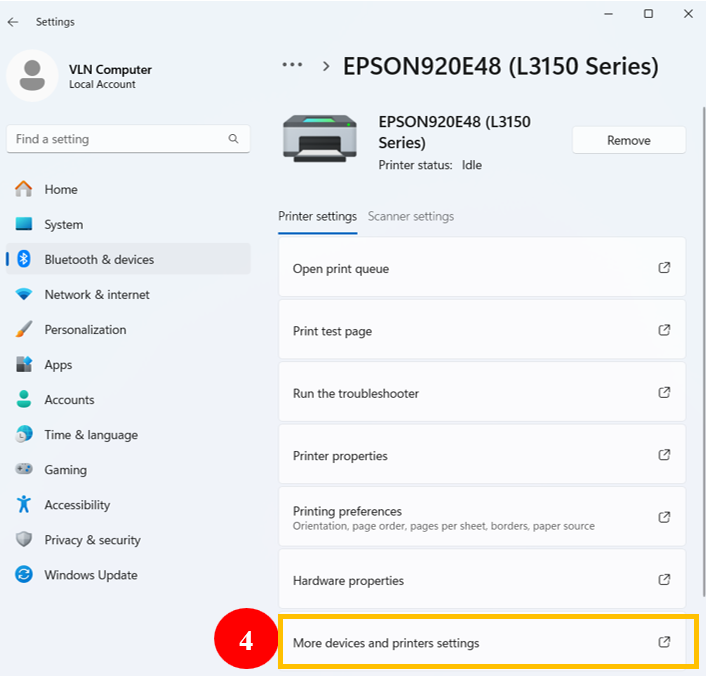
4. ຄຼິກ More devices and printer setting
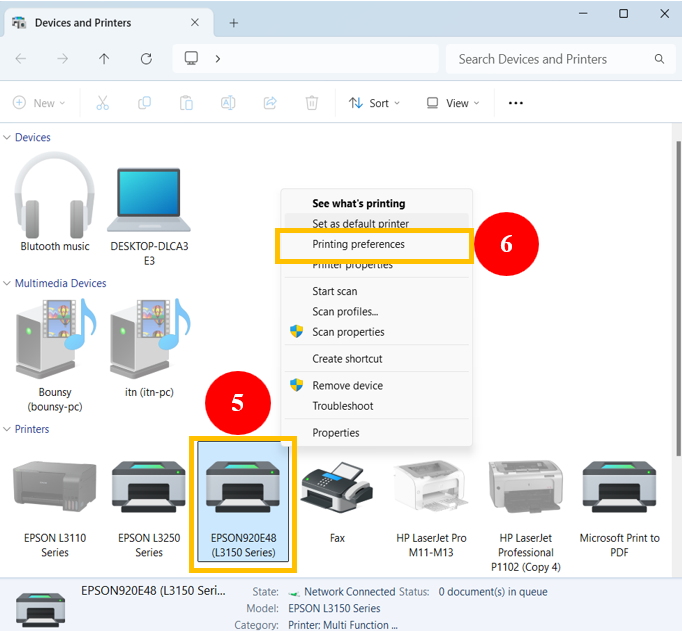
5. ຄຼິກເລືອກເມນູ Printing preferences
6. ຄຼິກຂວາໃສ່ Series ປີ່ນເຕີທີ່ເຮົາຕ້ອງການລ້າງຫົວພິມ
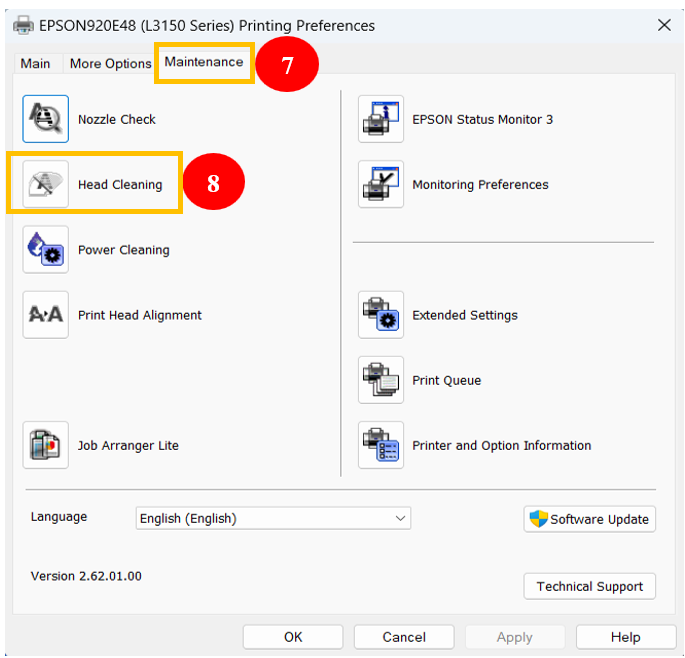
7. ເລືອກເມນູ Maintenance
8. ຄຼິກໃສ່ຄຳສັ່ງ Head Cleaning
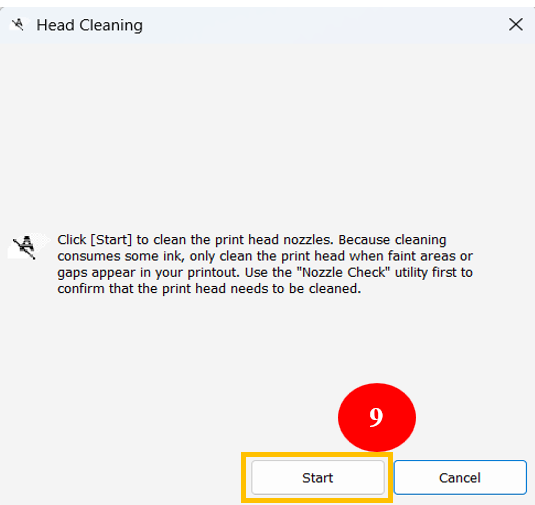
9. ຄຼິກໃສ່ Strat
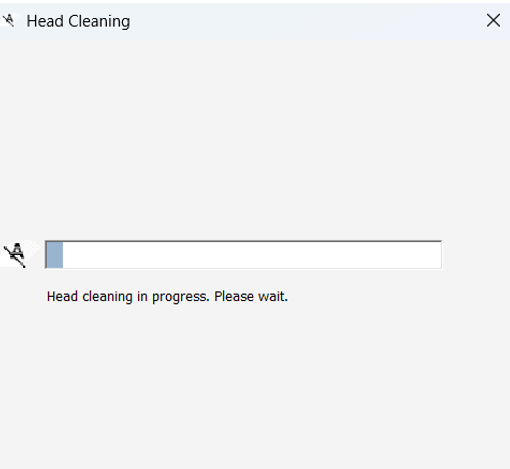
ລໍຖ້າໃຫ້ ໃຫ້ປີ່ນເຕີເຮັດວຽກຈົນສຳເລັດ
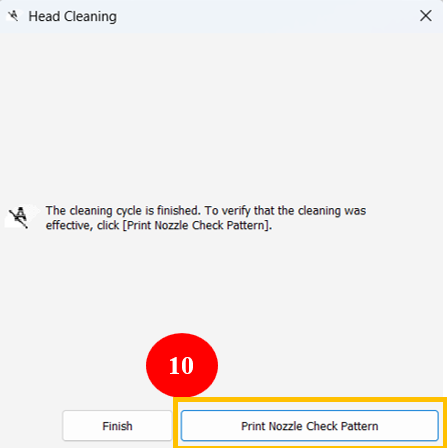
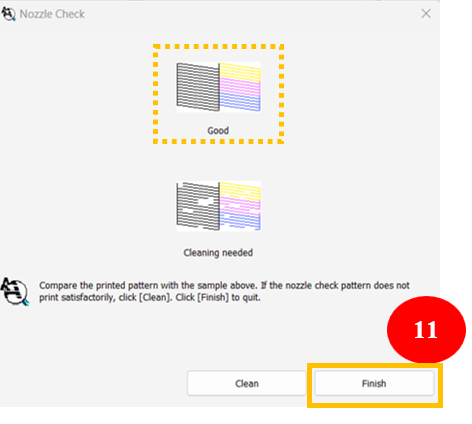
10. Print Nozzle Check Pattern ປີ່ນທົດສອບເບີ່ງ
11. ພາຍຫຼັງປີ່ນທົດສອບແລ້ວເຫັນວ່າເສັ້ນຂອງສີ ອອກມາບໍ່ເປັນເສັ້ນຂາດຖືວ່າສຳເລັດ ແລ້ວຄຼິກ Finish
ຂຽນໂດຍ : ອາຈານ ໄຊຍະສິດ ສີສະໝຸດ
ສູນໄອຊີທີ ພະແນກສຶກສາ ແຂວງ ອຸດົມໄຊ
ເບີຕິດຕໍ່ 55181514