ວິທີ ສະແກນໄວຮັສໃນ Windows 11
ຫຼາຍໆຄົນເມື່ອໃຊ້ງານ Windows 11 ກໍ່ມັກຈະດາວໂຫລດ Antivirus ເພື່ອໃຊ້ງານ ເຊິ່ງເຮັດໃຫ້ເກີດຄວາມຫຍຸ້ງຍາກ ແລະ ເສຍຄ່າໃຊ້ຈ່າຍສູງ ຫຼາຍຄົນກໍ່ອາດຈະບໍ່ຮູ້ວ່າ Windows 11 ນັ້ນມີ Antivirus ຢູ່ແລ້ວ ຂັ້ນຕອນຕໍ່ໄປນີ້ແມ່ນຂັ້ນຕອນຂອງການນຳໃຊ້ Scan Virus ທີ່ມາກັບ Windows11.
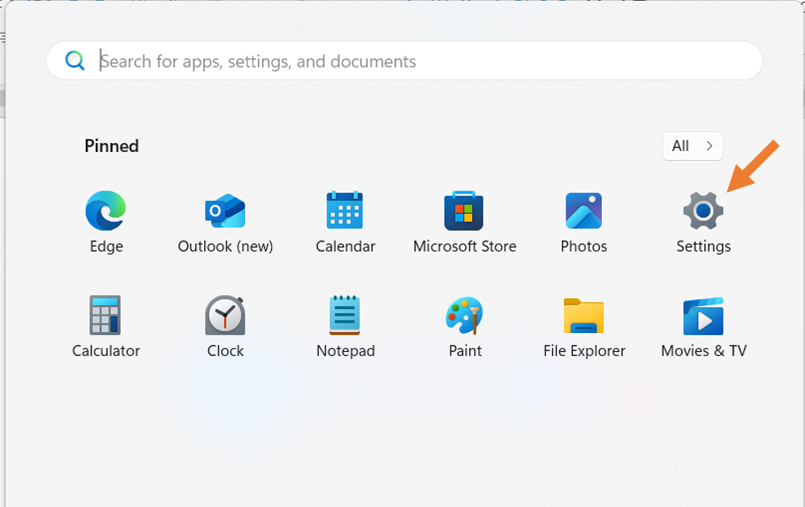
- ຄຣິກທີ່ປຸ່ມ Start

- ຄຣິກທີ່ Setting
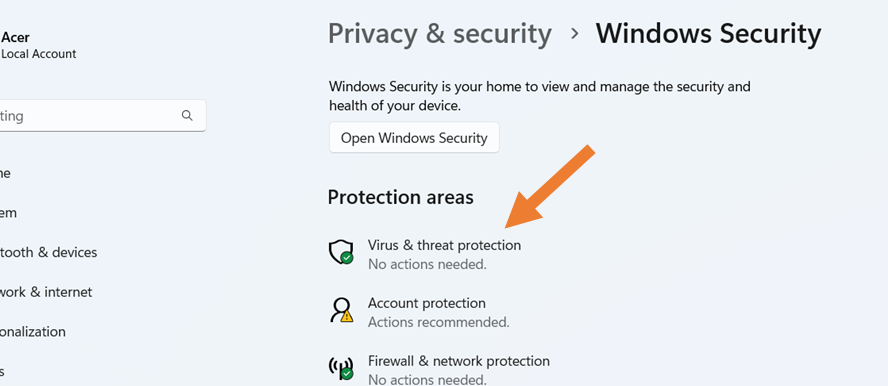
- ຄຣິກທີ່ Virus & threat protection
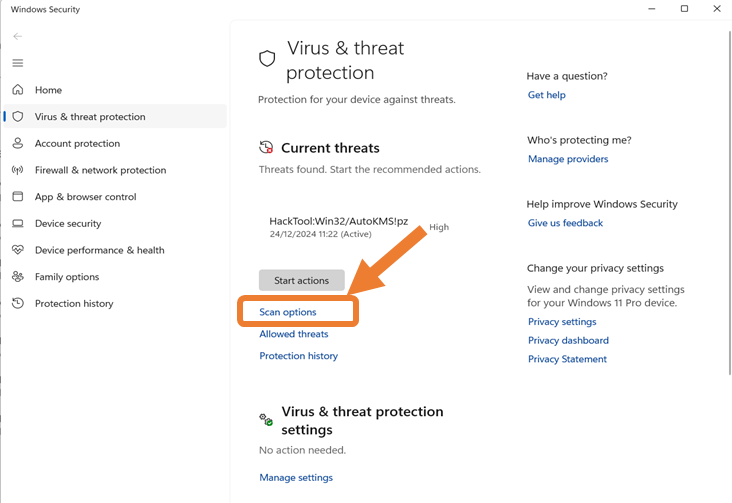
- ຄຣິກທີ່ Scan Options
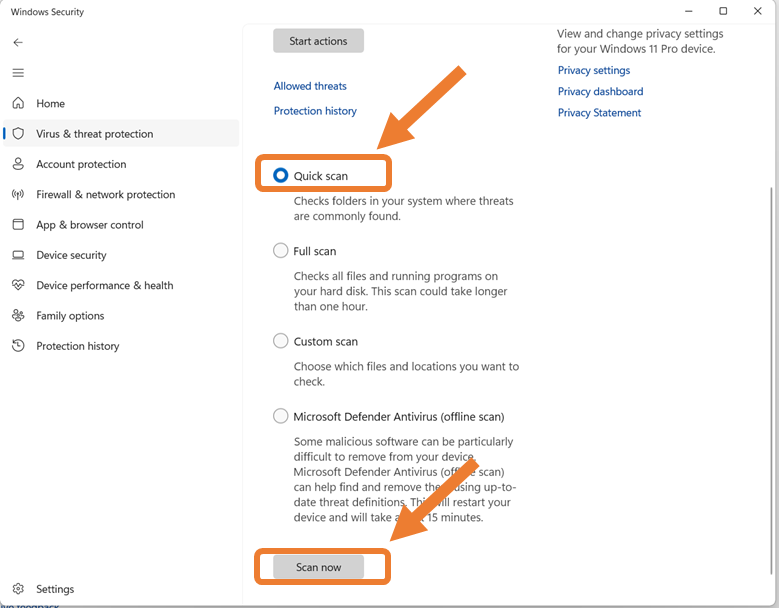
- ເລືອກທີ່ Quick Scan ຈາກນັ້ນ ຄຣິກທີ່ Scan now
ຂຽນໂດຍ : ສູນໄອຊີທີ ພະແນກສຶກສາທິການ ແລະ ກິລາ ແຂວງ ສະຫວັນນະເຂດ