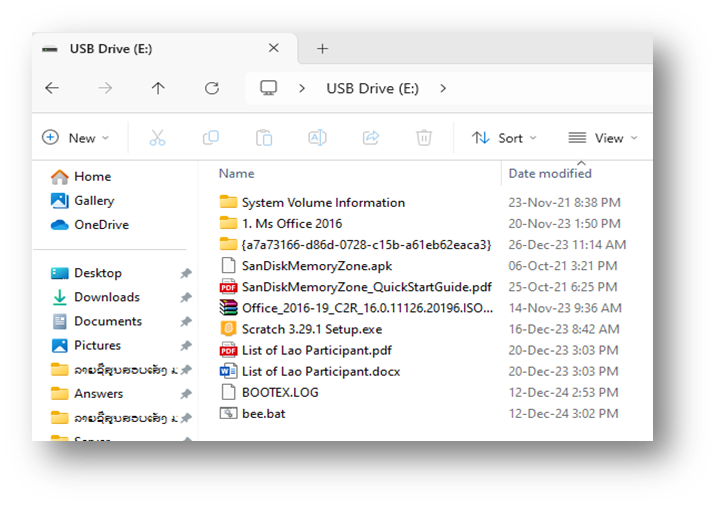
ແກ້ໄຂບັນຫາຂໍ້ມູນໃນ USB ບໍ່ເຫັນຟ໌າຍ
- Computer ມີ Virus
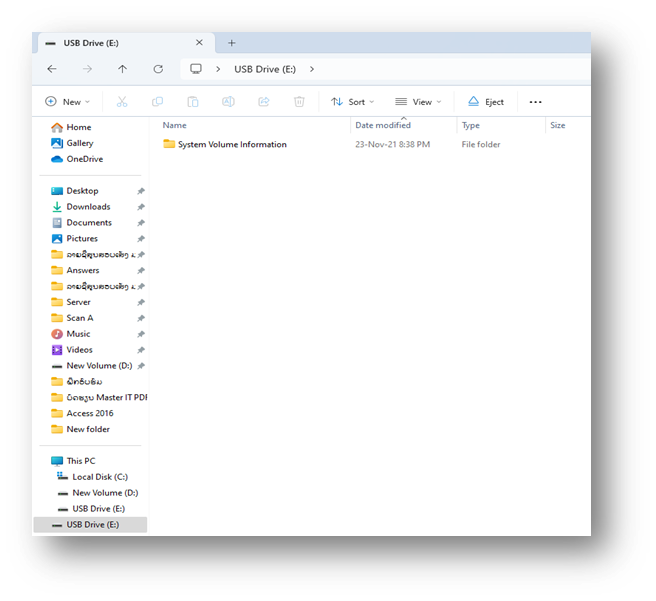
- ວິທີແກ້:
1. ວິທີທີ່1:
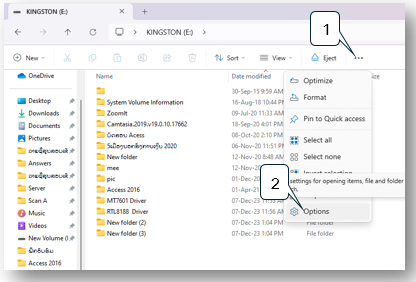
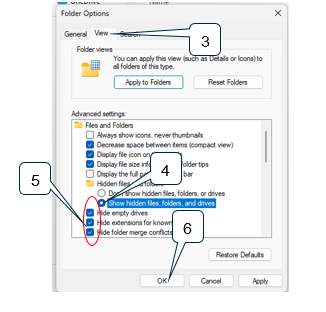
1) ຄຣິກ ສາມຈ້ຳ
2) ເລືອກ Options
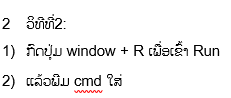
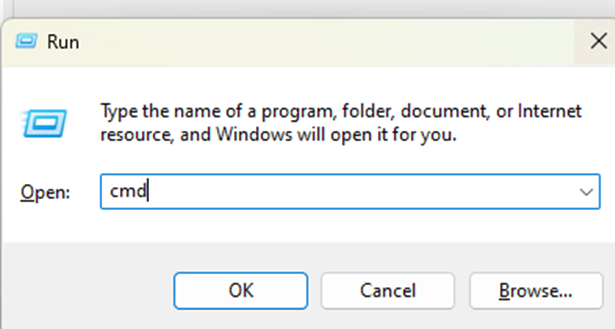
ຫຼັງຈາກນັ້ນໃຫ້ພີມຊື່ຂອງ USB ໃສ່ຕາມດ້ວຍສອງຈໍ້າແລ້ວກົດ Enter ຕົວຢ່າງ E:
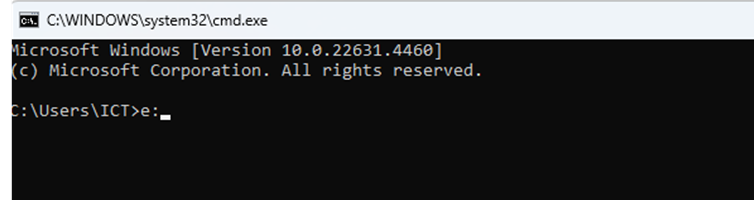
ແລ້ວໃຫ້ພພີມຄໍາສັ່ງນີ້ໃສ່ attrib -s -h -a -r /d /s ແລ້ວກົດ Enter
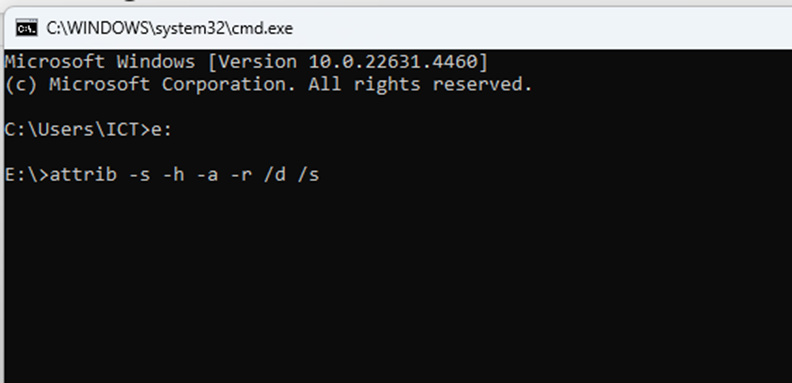
ລໍຖ້າໃຫ້ຄໍາສັ່ງມັນເຮັດວຽກ
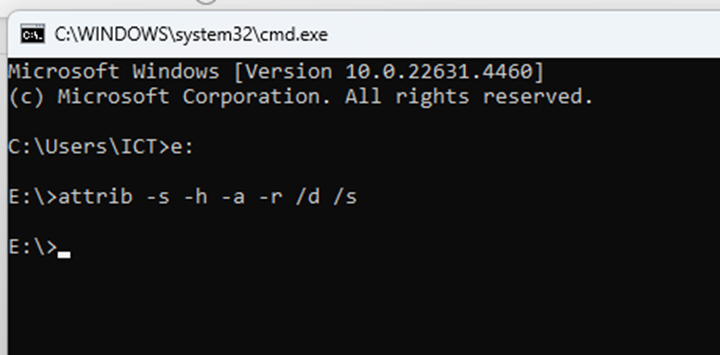
ກັບຄືນມາເບິ່ງຊ່ອງ USB ຂອງເຮົາວ່າຂໍ້ມູນມາແລ້ວບໍ່